
This item cannot be returned.
Quiet Art Waverider TG (Download)
ID: 18192
• MPN: WRTG
• SKU: 1424-1001

Authorized Dealer

In Stock


$139.00
100 in stock
Key Features
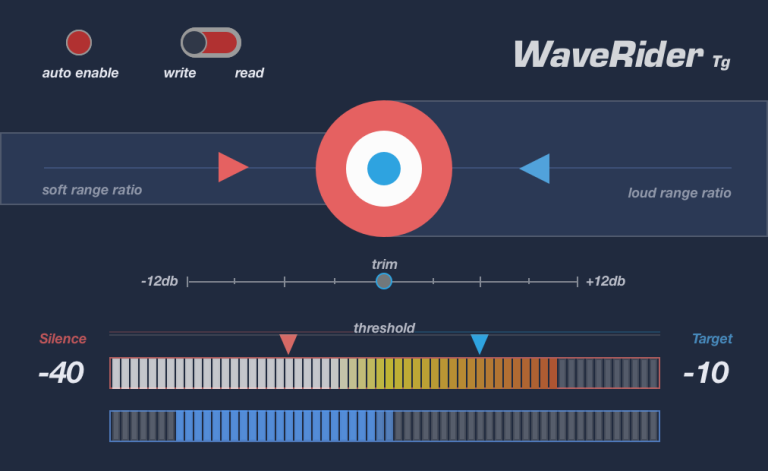
- • Target level selector
- • Soft range and loud range controls
- • Input trim
- • Sound level and activity meters
On Sale





Quiet Art Waverider TG Overview
WaveRider first became publicly available for Pro Tools® users back in March 2009. Since its release, it has revolutionized mixing workflows with the "rider" plugin concept and evolved into an indispensable mixing tool in studios around the globe.
WaveRider Tg adopts the legendary algorithm of WaveRider, and puts it into a bite size package with one purpose: Consistent level riding.
It's also able to write its own automation just like WR, but without the need of HUI.
The best part is, WaveRider's unmatched riding algorithm is now available in AAX, VST, VST3, and AU!
Download your fully functional 14 day demo for AAX, AU, VST & VST3
Requires iLok account. USB dongle not required. Get it here for free: ilok.com
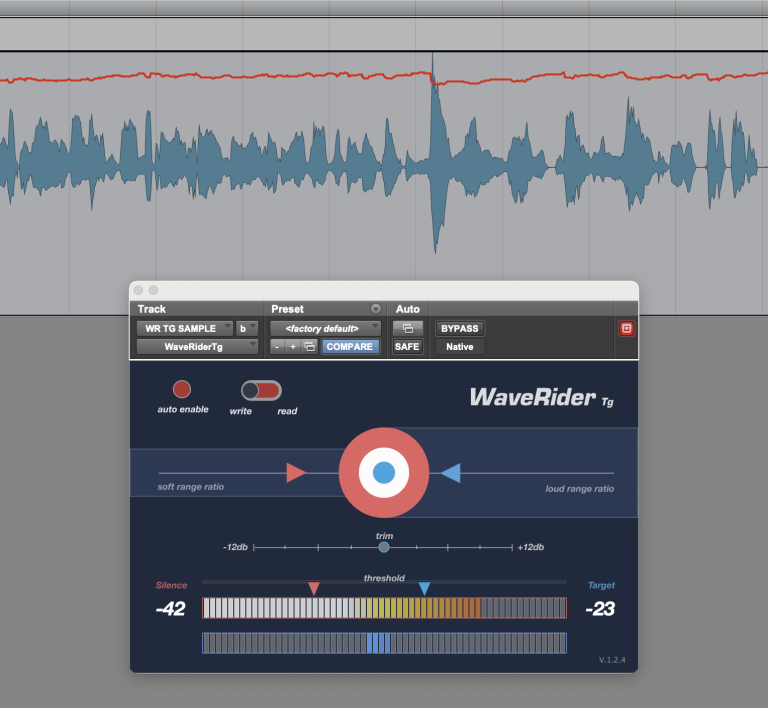
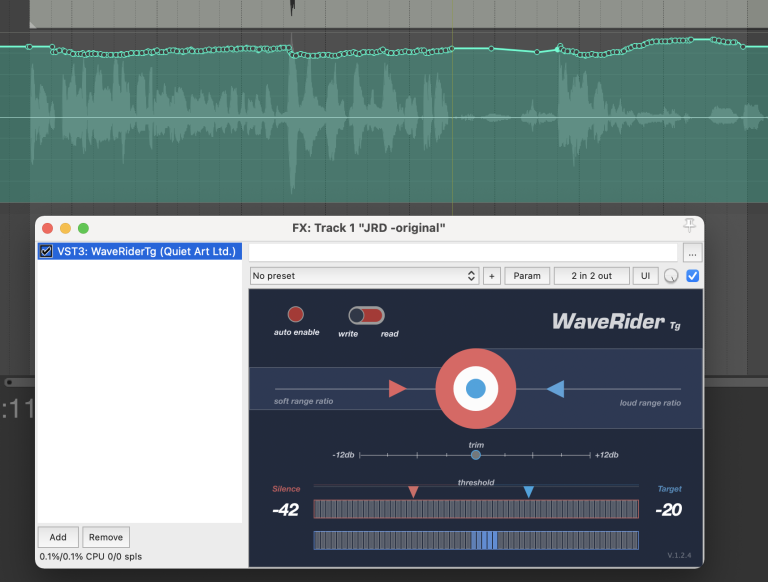
WaveRider Tg's level detecting algorithm automatically raises or lowers the gain to maintain a user selectable output level.
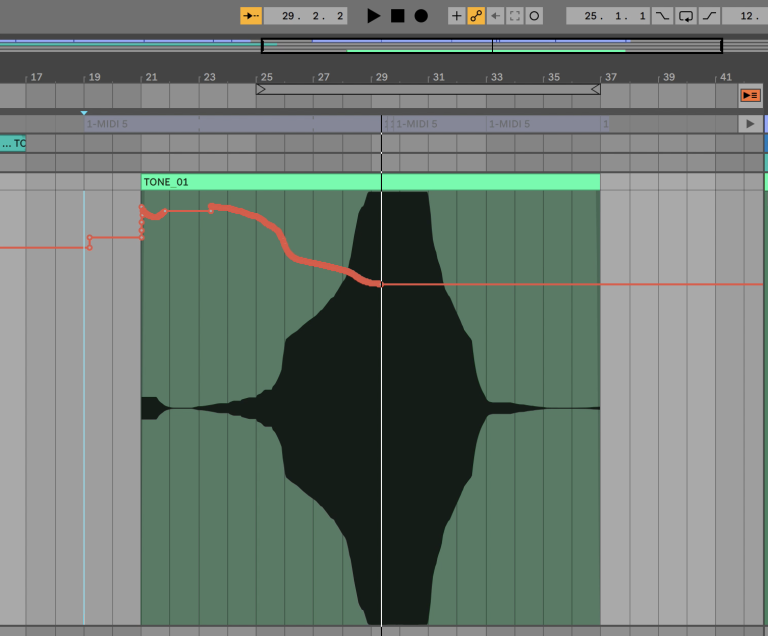
It can also write this volume riding automation within its automation pane and the user can then alter the volume automation as needed.
If you have trouble making your vocals sound professional, or if they are not sitting in the mix, you need WaveRider Tg.
Same goes for Bass tracks, horns, guitars, or anything you throw at it including a full mix, WaveRider Tg will make it a breeze to maintain a smooth and consistent level so you don't end up over-compressing.
WaveRider Tg FAQ
There is a known iLok issue where if you already have a Cloud session open, the license may activate there, even if the Cloud session is open elsewhere. To prevent this, please close the existing Cloud session within iLok license manager before starting your DAW. (in iLok license manager Menu -> File -> Close Cloud Session)
If you encountered this, and you’re getting “Attempt to start the trial too many times…” error, then please click the “Activate” button instead of “Try”. And on the next window where you are asked to enter an activation code, click “No” and then proceed to enter your iLok credentials and initiate a Cloud session with your Trial license.
On some DAWS you might have to re-scan your plugins folder. Also, some licensing operations might have your DAW put WaveRider Tg on blacklist. You can go ahead and un-blacklist in your preferences.
If you are using the VST3 version of WaveRider Tg, the plugin GUI needs to be open to be able to write automation. After the automation is written you can put WaveRider Tg in read mode and close the GUI. Other formats are not affected.
If you select the one from the “Dynamics / VST” category, it may not write automation.
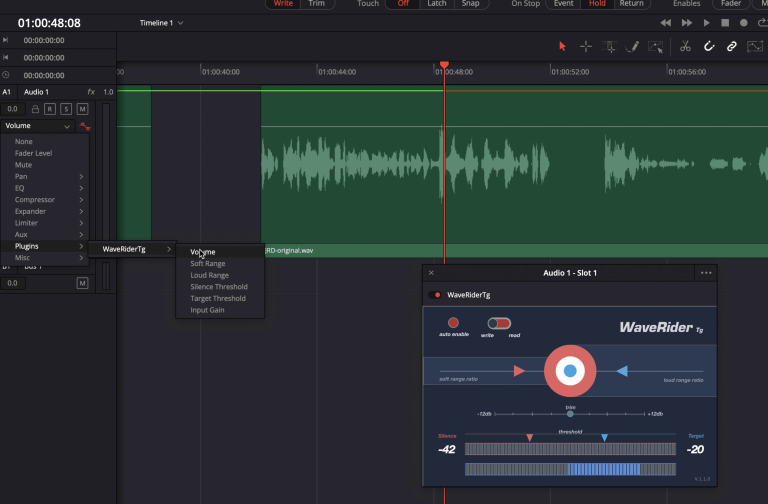
Make sure “plugins” is enabled in the automation settings, and the track is put in automation “Latch” mode.
Watch this short video to see all these steps in action: WaveRider TG on Resolve
Does WaveRider do LKFS or LUFS ?
No. WaveRider does not utilize the ITU-R BS. 1770 specification, because its algorithm is designed for mixing, not metering. However, WaveRider does make it extremely easy to meet requirements like EBU R-128, ATSC A/85, OP-59, and TR-B32.
What’s WaveRider algorithm based on?
To put it simply, it’s based on Leq (A) weighting. But it gets complicated. Alpha version WaveRider’s algorithm was designed by a genius engineer with a PhD.
But in the studio, it didn’t work that well. It needed some human feel.
Ultimately, it evolved into an organic beast that is hard to classify as anything.
Isn’t this like AGC (Automatic Gain Control)?
Well, you are kind of right. However it doesn’t suck as most AGC circuits do. WaveRider’s intelligent algorithm maintains the natural dynamic of the signal, keeping quiet parts comparatively quieter than loud parts. AGC circuits have a common characteristic: They will push gain as default and then brick-wall limit the hell out of the signal, creating a pumping artefact. WaveRider won’t do that, it will glide the signal gently to where it needs to go.
What can WaveRider do better?
Compressors and limiters do one thing: attenuate the signal. For levels below their threshold they simply don’t do anything. You need to squash your signal over the board and use make up gain to achieve an even output level. This colors the sound, and once it’s there it’s there forever. WaveRider rides the faders for gain as well as attenuation so the output level stays consistent without degrading the dynamics of your signal. The best part is you can alter these moves after the fact. Of course WaveRider could be used along with your favorite dynamics processors to achieve ultimate results.
System Requirements
Mac
• OS: High Sierra and above
• Formats: VST2, VST3, AU, AAX
• Architecture: 64-bit
Windows
• OS: 10 & 11
• Formats: VST2, VST3, AAX
• Architecture: 64-bit